Prey System
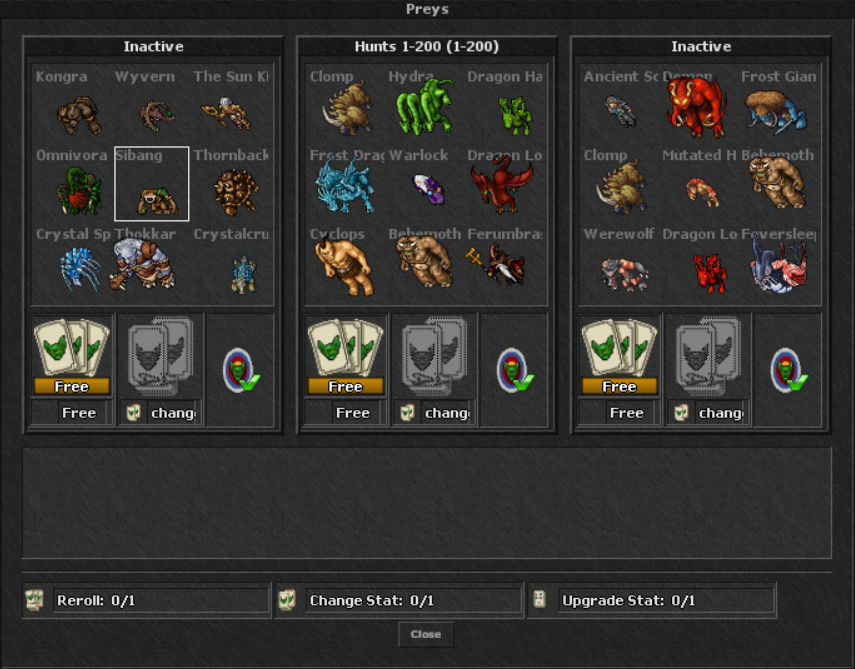
Roll hunt areas, choose a monster and activate a timed personal combat, experience or loot bonus against that creature.
1. Open the Prey System
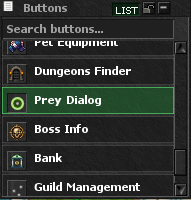
Open the client's top-menu Buttons list and press Prey System.
- The first Prey Slot is available to every character.
- Slots 2 and 3 are permanent unlocks and cost 500 Premium Points each.
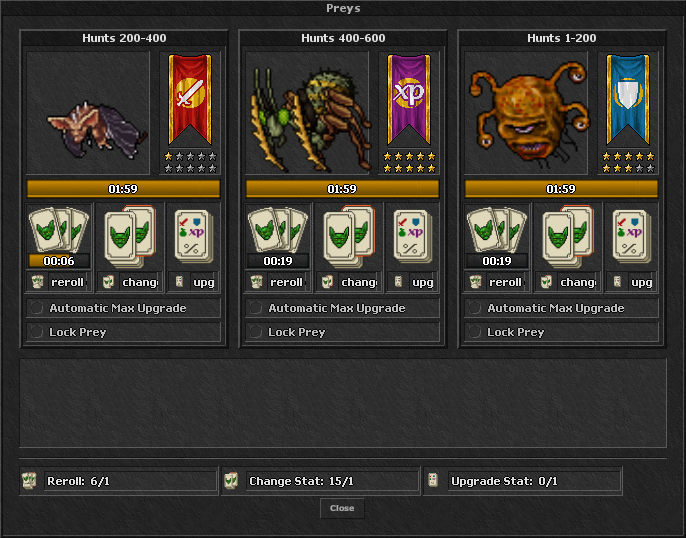
- Every Slot has its own active Prey, duration and free-reroll timer.
2. Roll an Area and Select a Monster
- Choose an empty Prey Slot and press the roll button.
- The server chooses an available hunt area and displays up to 9 monsters from that area.
- Select the monster you want and press Confirm.
- The server rolls one of the four Prey stats and a random starting rank from 1 to 10 stars.
- The Prey immediately becomes active for two hours.
A free roll starts that Slot's 20-minute cooldown. Paid rerolls consume one Reroll Card only after the server confirms that valid choices are available.
Level-based Hunt Areas
Access is cumulative: for example, a Level 500 character can roll from the 1–200, 200–400 and 400–600 areas. Only monsters configured in the server's hunt lists are used.
3. Prey Stats and Stars
The rolled stat applies only while fighting the selected monster. Each Prey can be upgraded to a maximum of 10 stars.
Damage Boost
Increases damage dealt to the selected monster.
Stars 1–10: 3%, 5%, 7%, 9%, 11%, 13%, 15%, 17%, 19%, 22%
Damage Reduction
Reduces damage received from the selected monster.
Stars 1–10: 3%, 5%, 7%, 9%, 11%, 13%, 15%, 17%, 19%, 22%
Experience Bonus
Increases experience gained from the selected monster.
Stars 1–10: 5%, 8%, 11%, 14%, 17%, 20%, 23%, 26%, 29%, 35%
Improved Loot
Improves the loot roll from the selected monster.
Stars 1–10: 6%, 10%, 14%, 18%, 22%, 26%, 30%, 34%, 38%, 45%
4. Prey Cards

Prey Reroll Card
Rerolls before the free timer is ready, or reactivates the same monster after a locked Prey expires.
Hunter Trader: 75 Hunter Tokens
Event Seller: 35 Event Tokens
Also: Simple Market, Store and Battle Pass rewards.

Prey Change Stat Card
Changes the stat of an active Prey to a different available type and rolls a new star rank.
Hunter Trader: 180 Hunter Tokens
Event Seller: 50 Event Tokens
Also: Simple Market, Store and Battle Pass rewards.

Prey Upgrade Card
Adds one star to the active stat, up to 10/10. Auto Max repeatedly consumes cards until max rank or until your cards run out.
Hunter Trader: 140 Hunter Tokens
Event Seller: 80 Event Tokens
Also: Simple Market, Store and Battle Pass rewards.
5. Lock the Monster
Enable Lock Prey while the Prey is active if you want to preserve that monster after the two-hour timer expires.
- An unlocked Prey clears normally when its duration ends.
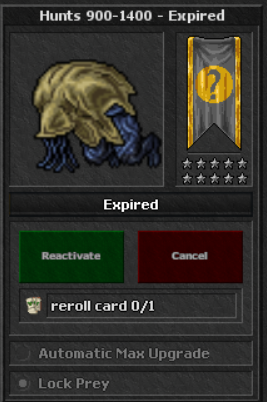
- A locked Prey stays in the Slot as Expired & Locked.
- Use 1 Prey Reroll Card to reactivate that same monster for another two hours.
- Reactivation keeps the monster but rolls a new available stat and star rank.
- You may remove the expired locked Prey instead if you want a fresh selection.
6. Track Active Prey
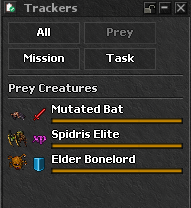
Active Prey entries appear in the client Trackers panel so you can follow them without keeping the Prey window open.
- The tracker identifies the selected monster and active bonus.
- It remains tied to that Slot's live two-hour duration.
- Open the Prey module again when you need to change the stat, upgrade stars or manage Lock Prey.
Prey Selection View