Auto Loot System
Collect selected drops automatically, route supported loot to your Bank, and expand your personal item list.
1. Open Auto Loot
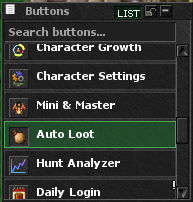
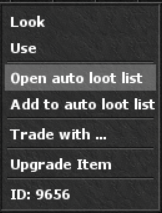
Open the client top-menu Buttons list and press Auto Loot. You can also right-click any item and choose Open auto loot list. The same window can be opened at any time with !autoloot or its shortcut !loot.
- The module shows every item currently configured for your character.
- Your list is saved by the server and remains available after relogging.
- Money collection is controlled separately and does not use a normal item slot.
2. Add Items Quickly
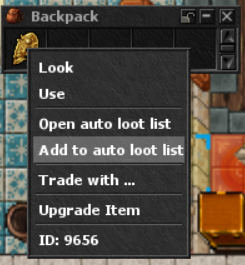
Right-click any item and choose Add to auto loot list. You can also open the module and search by item name.
- Add to auto loot list: adds that exact item immediately.
- Open auto loot list: opens the full management window.
- The server rejects invalid items, duplicates, and additions above your available slot limit.
- Use the red remove button beside an entry to free its slot.
3. Manage Collection and Bank Routing
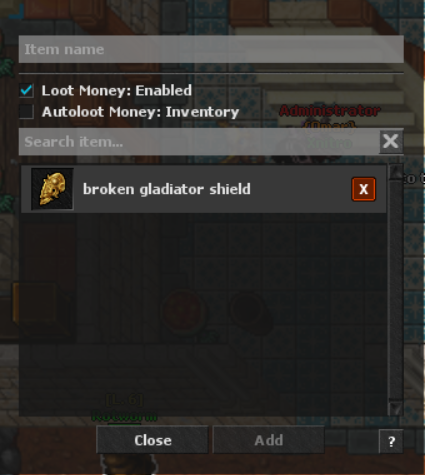
The Auto Loot window contains two independent settings:
- Loot Money: Enabled automatically collects configured currency drops: Gold, Platinum and Crystal Coins, Gold Ingots, Event Coins, Xnitro Tokens, Boss Coins and Market Tokens.
- Autoloot Money: Bank sends supported money and any listed bank-compatible loot directly into your Bank storage.
- Autoloot Money: Inventory sends collected money to your inventory instead. If the setting is switched to Bank, supported listed items are deposited automatically.
- If a Bank deposit cannot be completed, money falls back to the inventory when possible.
Slots and Upgrade Item
Slot limits apply per character. Normal accounts begin with 4 slots, while Premium accounts receive 8 slots.
- The Autoloot Slot Potion permanently grants one additional slot to the character that uses it.
- Each character can unlock a maximum of 5 extra slots.
- The potion costs 500 Premium Points in the Store.
- Maximum totals are 9 slots for a Normal account and 13 slots for a Premium account after all five upgrades.
 Autoloot Slot PotionItem ID 38523 · +1 permanent slot
Store · 500 Premium Points