Bank System
Store currencies, collected materials and selected loot in one account-wide management window.
1. Open the Bank
Open the client’s top-menu list and press Bank. You can also type !bank in-game.
- The window loads your current bank and inventory counts.
- Select any category to see the items stored inside it.
- Select an item to enable its available quick actions.
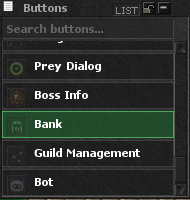
2. Bank Window and Categories
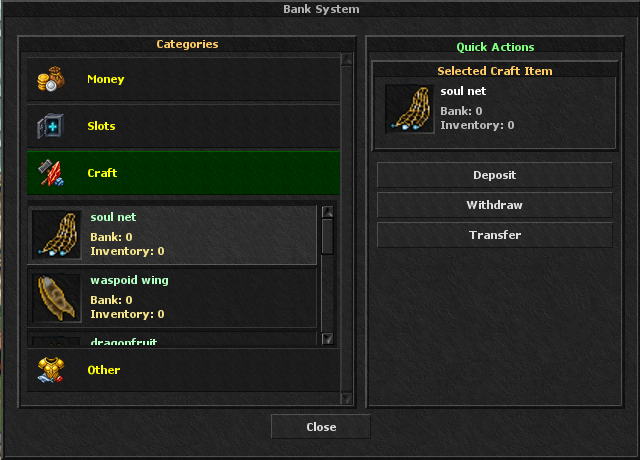
The Bank System separates stored items into four clear categories:
- Money: Gold balance, Event Coins, Xnitro Tokens, Boss Coins, Market Tokens and other configured currencies.
- Slots: Custom storage slots that you can assign to the items you want to collect.
- Craft: Crafting materials collected from monsters and other game systems.
- Other: Configured regular monster drops, boss loot and special items.
3. Quick Actions
Deposit
Move the selected item from your inventory into its bank balance.
Withdraw
Move the selected amount from the bank back into your inventory.
Transfer
Send a stored amount to another character by entering the character name.
Selecting an item shows both Bank and Inventory counts, so you can confirm the available amount before using an action.
4. Custom Slots
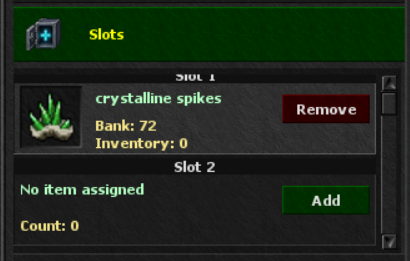
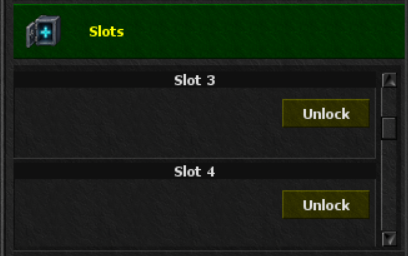
- The bank provides 10 custom slots.
- Slots 1 and 2 require 200 Event Coins each.
- Slots 3 through 10 require 1 Slot Bank Card each.
- Press Add to assign an item to an enabled empty slot.
- Press Remove to clear the assignment. The stored item count must be empty before removing it.
5. Collecting and Managing Loot
Configured currencies, crafting materials and other supported drops appear in their matching categories. Items assigned to your custom slots can also be collected into those slots when bank collection is enabled. Use the Bank window at any time to review counts, withdraw items or transfer them.