What is the upgrade items system?
The Item Upgrade System is a meticulously designed feature that allows players to amplify the power of their gear using unique Upgrade Stones. It provides endless possibilities to fully customize your items and refine their strength to new heights.
How does upgrade system work?
-
Accessing the upgrade module is simple and straightforward. Just follow these steps:
-
Hold Ctrl + Right-Click on the item you want to upgrade.
-
Select "Upgrade" from the context menu.
-
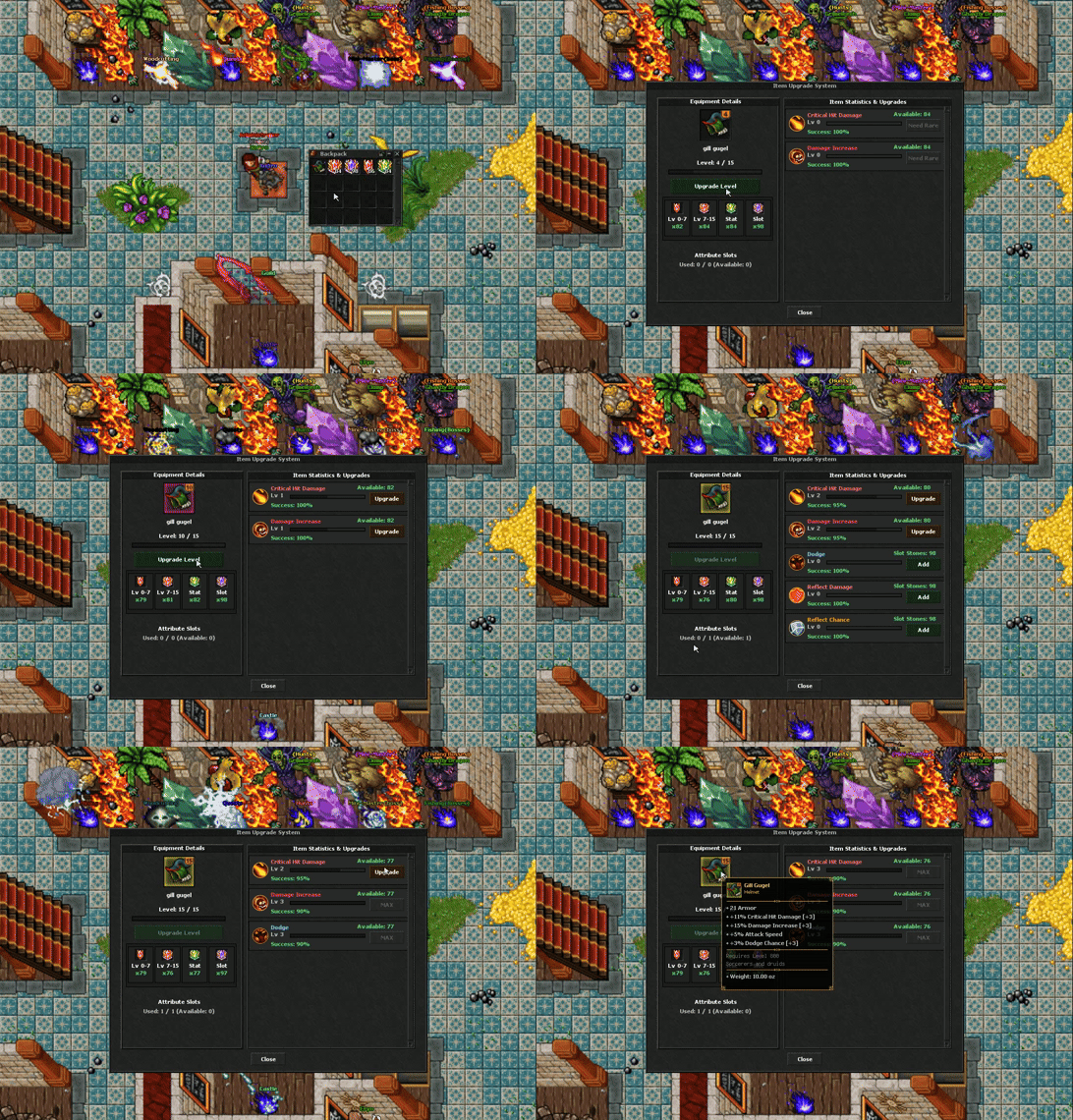
The Upgrade Module will automatically open (as shown in the image below), allowing you to start customizing and enhancing your item using upgrade stones.
-
What are the available upgrade stones and what attributes they upgrade?
| Stone | Description |
|---|---|
 upgrade level stone |
used to upgrade your item's level from 0 to 7. |
 upgrade level stone |
used to upgrade your item's level from 7 to 15 |
 upgrade stones |
used to upgrade any supported item stat based on the item's current rarity |
slot stone |
used to add a new stat into an available free slot on an upgradable item. |
What is the max upgrade level for attributes?
Max upgrade level for each attribute is 5.
Is there a chance to lose the upgrade level during upgrade process?
No, upgrade process is 100% successful.
Is there a way to remove upgrades from the item's free slots?
Yes, you can remove upgrades from your item's free slots and restore it to its default values using this rune without any refund of materials used on it.
-
- Nexus

- You can craft it or buy it from store.
- Nexus