Task System
Choose hunting tasks, track monster kills and complete each task up to three times for scaled rewards.
Back to WikiCommand: !task3 active tasks maximum
1. Open the Tasks Window
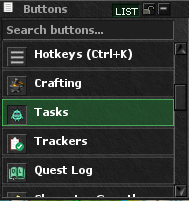
Open the client’s top-menu list and press Tasks. You can also type !task in-game.
2. Activate and Manage Tasks
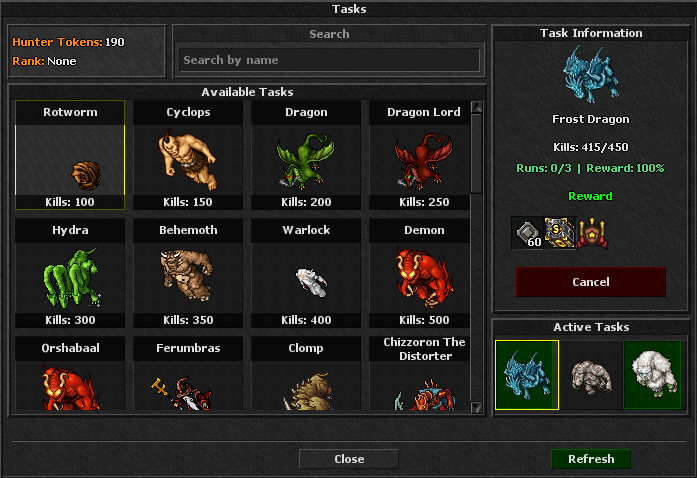
The Tasks window contains everything needed to manage a hunt. After you press Activate, the same action button changes to Cancel, as shown in the image.
- Available Tasks: tasks currently unlocked for your level, Premium status, rank and other requirements.
- Task Information: kill progress, completed runs, current reward percentage and configured rewards.
- Activate: starts the selected available task.
- Active Tasks: your three current hunting tasks.
- Cancel: appears when the selected task is active; it removes the task and resets its current kill progress.
- Report: replaces the action button when all required kills are complete.
3. Track Your Kills
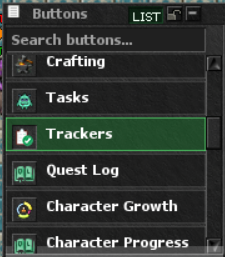
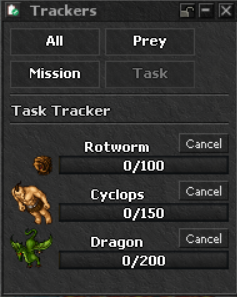
Open Trackers and select the Task category. The tracker shows every active task with current and required kills. You can cancel a task there, or report it when the counter is complete. Progress is also available from the Tasks window, Task channel and Quest Log.
4. Report and Receive Rewards
- Finish the required monster kills.
- Select the completed task in the Tasks window or Task Tracker.
- Press Report.
- Item rewards are delivered to the Reward Chest in the temple. Task Points and Battle Pass XP are credited immediately.
Hunter Ranks
Your total Task Points increase your Hunter Rank and unlock rank-restricted tasks.
Huntsman10 pointsRanger20 pointsBig Game Hunter40 pointsTrophy Hunter70 pointsElite Hunter100 points