Hunt Collect System
Find collectible statues inside hunts, exchange matching hunt materials and permanently unlock outfits, mounts, wings, auras, footprints and other cosmetics.
1. Find the Hunt Collect Statue
Explore the hunt and look for its dedicated Hunt Collect statue. Use the statue to open the collectible assigned to that area.
- Each statue is linked to a specific cosmetic and requirement set.
- The cosmetic may be an outfit with addons, mount, wing, aura, footprint or another configured collectible.
- The required materials come from monsters in the same hunt or its matching boss.
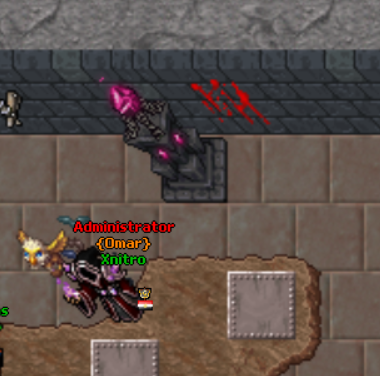
2. Inspect the Cosmetic and Requirements
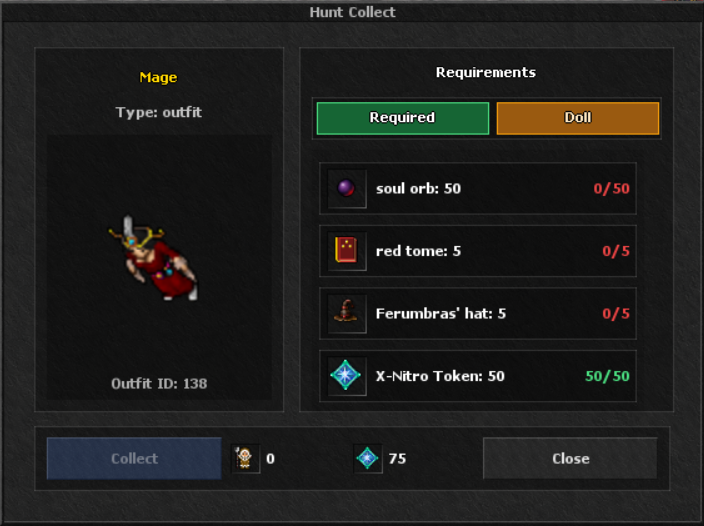
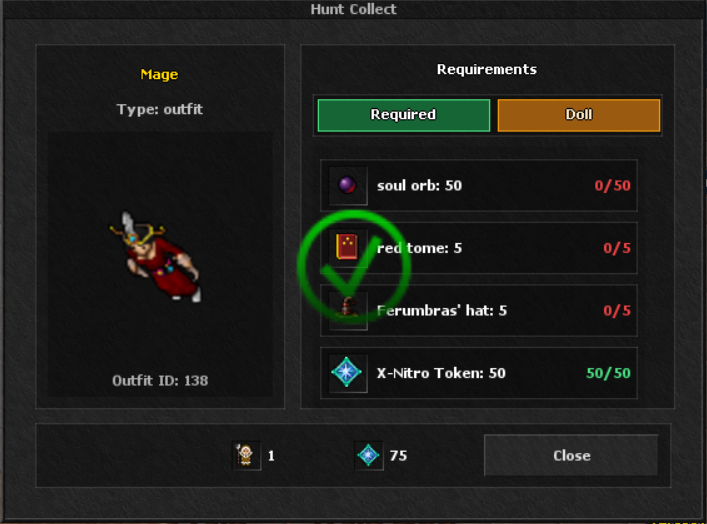
The Hunt Collect module shows the reward before you spend anything.
- The preview displays the cosmetic you will unlock.
- Every row shows the required item, required amount and the amount currently owned.
- Missing requirements stay incomplete and keep the normal Collect button locked.
- The displayed materials and tokens are removed only after a successful collection.
3. Use Hunt Materials or Skip Material
You can unlock the reward through either of the two requirement tabs:
- Required Items: gather every normal material shown by the module from the matching hunt and boss.
- Skip Material: replace the normal hunt materials with the displayed skip payment.
- The current standard skip uses 1 Norseman Doll (Item 8982) plus the displayed X-Nitro Token cost.
- Press Accept in the Skip Material tab. This selects the alternative payment; it does not grant the cosmetic yet.
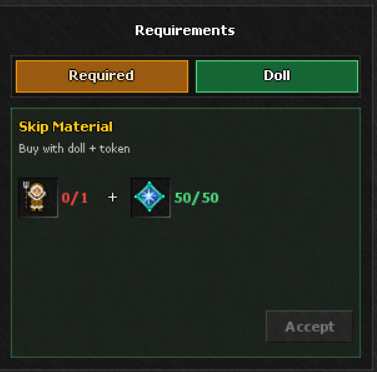
4. Press Collect
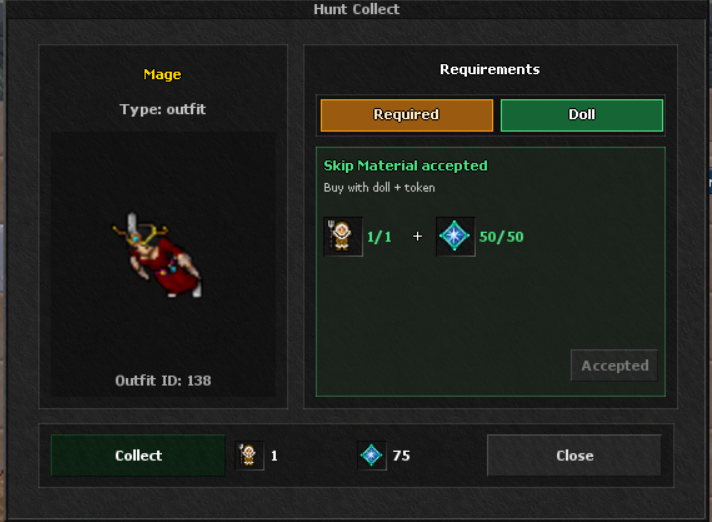
When you own all normal materials—or accept a valid Skip Material payment—the Collect button becomes available.
- Pressing Collect performs a final server-side ownership and item check.
- The selected normal or skip requirements are consumed.
- The cosmetic is added permanently to the character.
- An already-owned reward cannot be collected or charged a second time.
5. Confirm the Unlock
After a successful collection, the module shows a green check mark and marks the collectible as owned.
- The reward is now available in its matching cosmetic selection.
- The statue remembers the completed state for that character.
- Every successfully unlocked cosmetic also gives 1 Mastery Point.
- Every 5 Hunt Collections give 1 Attribute Point.
Collection Progression Rewards

1 Mastery Point
Granted with every successful cosmetic unlock. Mastery Points are spent in Character Growth on its advanced progression options.

1 Attribute Point
Each five completed Hunt Collections award one Attribute Point for the character's Attribute progression.